Using GO Devices In Your Software
Overview
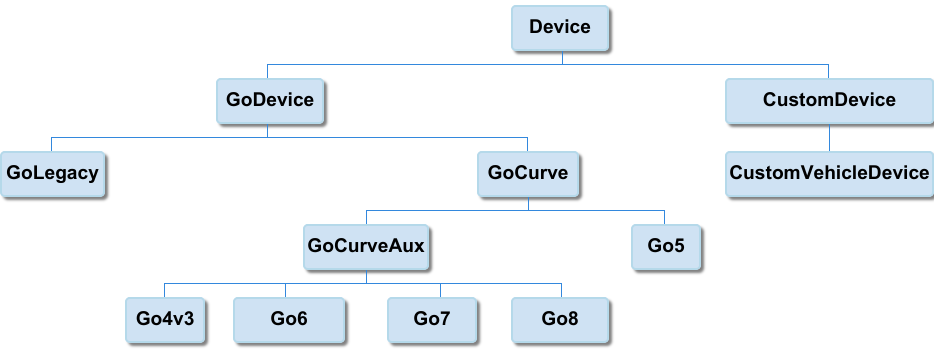
Device hierarchy
API to add vehicles
Geotab has a robust API that allows third-party developers to create their own applications that use data from Geotab hardware. A partner using Geotab hardware with their own software must use the API to add their Geotab devices to the database, as discussed above.
Adding a single device
C# API
JavaScript API
HTTP GET request
The above code samples show a sample call to add a single device to a database using the C# API, JavaScript API and an HTTP request. Please refer to the API documentation for more information.
Adding multiple devices
Both the C# and JavaScript examples contain a comprehensive demonstration of how to add multiple devices to a database. This can be used as a starting point for additional development.
Enable in-vehicle features
To enable or disable vehicle features, the appropriate properties of the Device/GoDevice object must be set. For example, to enable beeping before adding the device to MyGeotab, the C# example above would be changed to:
Please note that GO devices use a byte value to track parameter changes. If an in-vehicle feature like a speeding alert was enabled, increment the parameterVersion property by 1. If a device has already been added to MyGeotab it can have features enabled or disabled by first obtaining the device parameters, changing the desired properties, and then calling the 'Set'method instead of 'Add'. The API documentation has a number of examples on how to Get, change, and Set a device.